Where to Buy a Genuine Windows 11 Pro Lifetime License in the US (2026 Guide)
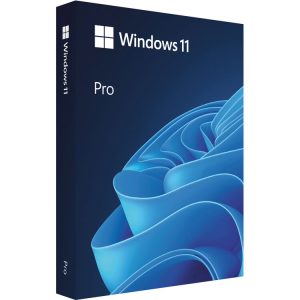
Looking for a genuine Windows 11 Pro lifetime license in the US? You do not need to pay full Microsoft Store prices. MSOfficeStore.us supplies verified Windows 11 Pro lifetime license keys at a fraction of the retail price — delivered instantly by email, with live setup assistance and a money-back guarantee included as standard. No shipping, no waiting: everything is digital.
This guide explains what a Windows 11 Pro lifetime license is, why buying from an authorized reseller is legitimate, and how to get set up in minutes.
What Is a Windows 11 Pro Lifetime License?
A lifetime license means you pay once and own your copy of Windows 11 Pro permanently — no monthly or annual subscription fees. You receive a 25-character license key that activates Windows 11 Pro through Microsoft’s own servers.
Once activated, you get:
- Full, permanent access to Windows 11 Pro
- Free security and feature updates from Microsoft for the lifetime of the product
- All Windows 11 Pro features — including BitLocker, Remote Desktop, and Hyper-V
- No recurring charges — ever
This is different from a Microsoft 365 subscription, which is an ongoing payment for Office apps and cloud services — see our full comparison: Windows 11 Pro Lifetime License vs Microsoft 365 Subscription.
Is It Legitimate to Buy a Windows 11 Pro License from a Third-Party Reseller?
Yes — completely. Authorized digital resellers like MSOfficeStore.us purchase genuine Microsoft license keys through official wholesale distribution channels at volume pricing. These are the same genuine Microsoft keys you would get from any other source — the difference is the price, not the product.
The proof is simple: when you enter the key into Windows, Microsoft’s own activation servers either accept it or reject it. A key from MSOfficeStore.us activates successfully because it is a genuine Microsoft license key. Every sale is backed by a money-back guarantee — if your key does not activate and the support team cannot resolve it, you get a full refund.
Why Buy Your Windows 11 Pro License from MSOfficeStore.us?
- Instant digital delivery — your license key and setup guide arrive by email within minutes of purchase
- Verified license keys — every key is checked before sale to confirm it activates on Microsoft’s servers
- Live setup assistance — real human support via live chat walks you through activation step by step
- Money-back guarantee — full refund if your key cannot be activated and the issue cannot be resolved
- Trusted at scale — over 100,000 satisfied customers worldwide
Windows 11 Home vs Windows 11 Pro — Which Lifetime License Do You Need?
| Feature |
Windows 11 Home |
Windows 11 Pro |
| Price |
Lower |
Slightly higher |
| Best for |
Personal use, home computing |
Business users, power users, remote workers |
| BitLocker encryption |
❌ No |
✅ Yes |
| Remote Desktop (host) |
❌ No |
✅ Yes |
| Hyper-V virtualization |
❌ No |
✅ Yes |
| Windows Sandbox |
❌ No |
✅ Yes |
| Domain / Azure AD join |
❌ No |
✅ Yes |
For most home users, Windows 11 Home is sufficient. Choose Pro if you work remotely and need Remote Desktop, handle sensitive data that needs encryption, or manage virtual machines.
How to Get Your Windows 11 Pro License — Step by Step
- Go to MSOfficeStore.us, open the Windows 11 Pro product page and add the product to your cart
- Complete your secure online payment
- Check your email — your license key and setup guide arrive instantly
- On your PC, go to Settings → System → Activation → Change product key
- Enter your 25-character license key and click Activate — Windows connects to Microsoft’s servers and activates in seconds
Need more detail — including clean installs, phone activation, and fixing activation errors? See the full Windows Activation Guide for Windows 10 and 11. Curious what you are getting? Read what’s new in Windows 11 in 2026.
Related Products
Power users can go beyond standard Pro: Windows 11 Pro for Workstations targets high-end hardware, and Windows 11 Enterprise adds fleet-management capabilities. To own your productivity suite too, add a lifetime Office Home & Business 2024 license.
Frequently Asked Questions
Where can I buy a genuine Windows 11 Pro lifetime license in the US?
MSOfficeStore.us — a trusted US-market reseller with 100,000+ customers, instant email delivery, live support, and a money-back guarantee. A cost-effective alternative to Microsoft Store prices.
Is a Windows 11 Pro lifetime license from a third-party reseller legitimate?
Yes. Genuine Microsoft keys sourced through authorized distribution at volume pricing — Microsoft’s own activation servers confirm validity. Money-back guarantee if activation fails.
What does a Windows 11 Pro lifetime license include?
Permanent ownership with no recurring fees, all Pro features (BitLocker, Remote Desktop, Hyper-V, Windows Sandbox, domain join), and free security updates from Microsoft.
How is the license delivered in the US?
Instantly by email — key plus setup guide. No shipping; activation possible within minutes.
What is the difference between Windows 11 Home and Windows 11 Pro?
Home covers everyday computing; Pro adds BitLocker, Remote Desktop, Hyper-V, Windows Sandbox, and domain features for business and remote work.
Can I transfer a Windows 11 Pro lifetime license to a new PC?
Yes — Retail licenses are transferable: deactivate on the old PC, activate on the new one. OEM licenses stay with the original hardware.