Windows 11 Pro Lifetime License vs Microsoft 365 Subscription — Which Is Better Value?
Confused about the difference between a Windows 11 Pro lifetime license and a Microsoft 365 subscription? You are not alone — many US buyers mix these two up, but they are very different products. This guide breaks down exactly what each covers, how the costs compare, and which is right for your situation.
Short answer: a Windows 11 Pro lifetime license covers your operating system with a one-time payment and no recurring fees. Microsoft 365 is a subscription for Office apps and cloud storage — it does not include Windows itself. For most users who just need Windows, the lifetime license is the better long-term value.
What Is a Windows 11 Pro Lifetime License?
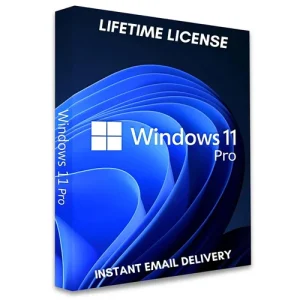
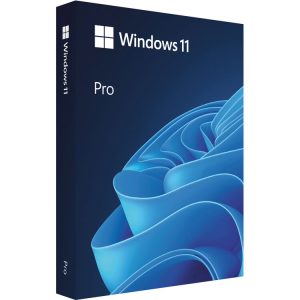
A lifetime license means you buy Windows 11 Pro once and own it permanently. No monthly charges, no annual renewals, no subscriptions. You receive a 25-character license key that activates Windows 11 Pro through Microsoft’s own servers.
What you get:
- Permanent ownership of Windows 11 Pro — no expiry date
- Free security and feature updates from Microsoft for the supported lifetime of Windows 11
- All Pro-exclusive features: BitLocker encryption, Remote Desktop, Hyper-V, Windows Sandbox, domain join
- No ongoing costs after the initial purchase
- Transferable to a new PC if you upgrade your hardware (Retail license)
What Is Microsoft 365?
Microsoft 365 (formerly Office 365) is a subscription service bundling Microsoft’s Office applications — Word, Excel, PowerPoint, Outlook, Teams, and OneDrive — for a recurring monthly or annual fee.
Important: Microsoft 365 does not include Windows. It is a separate product for Office apps and cloud services, not for the operating system itself.
- Personal — 1 user, 1 TB OneDrive, full Office apps on up to 5 devices
- Family — up to 6 users, 1 TB OneDrive each, full Office apps
- Business Basic / Standard / Premium — for teams and organizations; adds Teams, Exchange, and admin tools
Head-to-Head Comparison: Lifetime License vs Subscription
| Factor |
Windows 11 Pro Lifetime License |
Microsoft 365 Subscription |
| What it covers |
The Windows operating system |
Office apps + cloud storage (not Windows) |
| Payment model |
✅ One-time payment — own it forever |
Monthly or annual recurring fee |
| Recurring costs |
✅ None |
❌ Ongoing subscription required |
| Includes Word, Excel, PowerPoint? |
❌ No |
✅ Yes |
| Includes OneDrive storage? |
❌ No (basic 5 GB only) |
✅ Yes — 1 TB per user |
| BitLocker encryption |
✅ Yes (Pro feature) |
❌ No |
| Remote Desktop |
✅ Yes (Pro feature) |
❌ No |
| Best for |
Anyone who needs Windows permanently at the lowest total cost |
Anyone who needs Office apps and cloud storage |
| Long-term value |
Excellent — one payment, no future costs |
Ongoing cost adds up over years |
Which Is Right for You?
Choose a Windows 11 Pro lifetime license if:
- You just need Windows — the operating system — on your PC
- You want to pay once and never worry about a recurring subscription
- You already have Office apps (or use free alternatives)
- You are a freelancer, home user, or small business owner who values simplicity
Choose Microsoft 365 if:
- You need the latest versions of Word, Excel, PowerPoint, and Outlook
- You rely heavily on OneDrive for cloud storage and file syncing
- You collaborate with others using Microsoft Teams
- You need Office on multiple devices (PC, Mac, phone, tablet)
The smartest approach for many users: buy a Windows 11 Pro lifetime license once for permanent ownership of the operating system, then decide separately whether you need Microsoft 365 for Office apps. Do not pay a subscription for something you only need to buy once. (Prefer to own Office too? A lifetime Office Home & Business 2024 license pairs well with a Windows lifetime license.)
What About Windows 10 vs Windows 11 Pro?
If your PC does not meet Windows 11’s hardware requirements (TPM 2.0, compatible CPU), a Windows 10 Pro lifetime license remains an option for older hardware — but note that Microsoft support for Windows 10 ended on October 14, 2025, so it no longer receives security updates. Where possible, choose Windows 11.
All licenses are delivered instantly by email — no shipping required. Every purchase includes live setup assistance and a money-back guarantee.
Related Products
If you decide to own Office outright instead of subscribing, Office 2021 Professional Plus (includes Access and Publisher) and Office Home & Business 2024 (newest features, longest support) are both one-time purchases that pair naturally with a Windows lifetime license.
Frequently Asked Questions
How does a lifetime license for Windows 11 Pro compare to a subscription?
A lifetime license is a one-time payment that permanently activates the OS — no recurring fees. Microsoft 365 is an ongoing charge for Office apps and cloud storage that does not include Windows. One covers the OS, the other covers productivity software.
Is a Windows 11 Pro lifetime license better than a subscription?
For most users who just need Windows, yes — pay once, own permanently. Over three or more years the savings are substantial.
Does Windows 11 Pro require a subscription?
No. A one-time license key permanently activates it, with free security updates for the supported lifetime. Recurring fees apply only to separate services like Microsoft 365.
Does Microsoft 365 include Windows?
No — it covers Office apps, Teams, and OneDrive only. Windows is licensed separately.
What is included in a Windows 11 Pro lifetime license?
Permanent ownership of Windows 11 Pro with BitLocker, Remote Desktop, Hyper-V, Windows Sandbox, and domain join, plus free updates for the supported lifetime and Retail transferability to a new PC.
Can I get both a Windows 11 Pro lifetime license and Microsoft 365?
Yes — buy the lifetime license for the OS, then add Microsoft 365 only if you need its Office apps and cloud storage.
Where can I buy a Windows 11 Pro lifetime license in the US?
MSOfficeStore.us sells genuine keys with instant email delivery, live setup support, and a money-back guarantee.