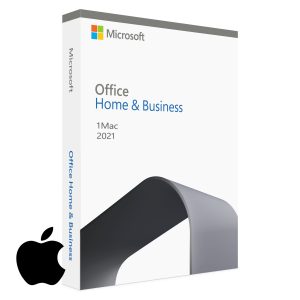
⚠️ Important notice: Microsoft support for Office 2021 ends October 13, 2026, and support for Office 2019 already ended October 14, 2025. Both keep working and license keys stay valid, but only Office 2024 will receive security updates beyond October 2026. Factor this into the decision below.
Microsoft Office 2021 vs 2024: Which Should You Buy?
Choosing between Microsoft Office 2021 and Office 2024? Both are one-time purchase lifetime licenses — you pay once and own them permanently with no subscription fees. But they differ in included apps, features, platform support, and how long Microsoft will keep them updated. This guide compares both versions side by side, explains where Office 2019 fits in 2026, and tells you exactly which version is right for your situation.
Quick answer: If you need the most complete suite including Access and Publisher, choose Office 2021 Professional Plus. If you want the latest features, Mac compatibility, and the longest support lifecycle, choose Office Home and Business 2024.
What Is a Lifetime Office License?
Many buyers confuse Office 2021 and Office 2024 with Microsoft 365, so it is worth clarifying the difference before comparing versions.
Office 2021 / Office 2024 (lifetime license): you pay once and own the software permanently. No recurring fees. You receive security updates during the support window, but not new feature updates.
Microsoft 365 (subscription): you pay monthly or annually. Apps stay current with new features and include cloud services like 1 TB of OneDrive storage — but everything stops working when you stop paying.
Note that Microsoft Teams is not included in either Office 2021 or Office 2024 perpetual licenses — Microsoft distributes Teams separately, and the free version can be downloaded from Microsoft directly.
Office 2021 vs Office 2024: Side-by-Side Comparison
Feature
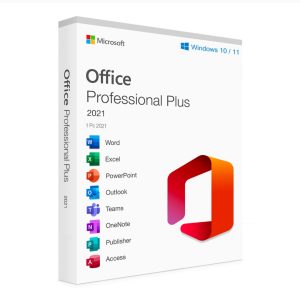
Office 2021 Professional Plus
Office Home & Business 2024
Word, Excel, PowerPoint, Outlook
✅ Included
✅ Included
OneNote
✅ Included
✅ Included
Access (database app)
✅ Included
❌ Not included
Publisher (desktop publishing)
✅ Included
❌ Not included
Microsoft Teams
❌ Not included (separate download)
❌ Not included (separate download)
Platform
Windows only
Windows and Mac
License model
One-time purchase, 1 PC
One-time purchase, 1 PC or Mac
Support ends
October 13, 2026
October 9, 2029
Excel functions
XLOOKUP, LET, dynamic arrays
All 2021 functions + new 2024 additions
Outlook interface
Classic Outlook
Modernized Outlook
Key takeaway: Office 2021 Professional Plus is the more complete suite — it adds Access and Publisher on top of the core apps. Office Home and Business 2024 covers the core five apps with the newest features, Mac support, and three more years of security updates.
What’s New in Office 2024?
Excel
Office 2024 includes every function introduced in Office 2021 — XLOOKUP, LET, and dynamic arrays — plus new 2024 additions for data analysis. If your work lives in spreadsheets, the 2024 release is the more future-proof choice.
Word
Word 2024 improves real-time co-authoring and document recovery compared with the basic co-authoring in Word 2021, making it a better fit for teams that share documents.
PowerPoint
PowerPoint 2024 updates the Cameo feature for embedding your camera feed directly into slides and improves the recording tools introduced in 2021, alongside the Morph transition and Zoom capabilities both versions share.
Outlook
Office 2024 ships with the modernized Outlook interface, while Office 2021 keeps the classic Outlook layout. Users who prefer the familiar classic interface may actually consider this a point in favor of Office 2021.
Support Lifecycle — How Long Will Each Version Last?
As of 2026, Office 2019 is already out of support, Microsoft Office 2021 is supported until October 13, 2026, and Office Home & Business 2024 is supported until October 9, 2029.
Version
Support ends
Office 2019
Ended October 14, 2025
Office 2021 (all editions)
October 13, 2026
Office Home & Business 2024
October 9, 2029
What this means in practice: Office 2021 has about a year of security updates remaining. It will keep working after October 2026 — the license never expires — but it will no longer receive security patches. Office 2024 gives you three additional years of updates. If you plan to keep the same license for many years, that difference matters more than any single feature.
What About Office 2019 and Older Editions?
Office 2019 was sold in Home & Student, Home & Business, and Professional Plus editions, and some retailers still offer it. Since Microsoft support ended on October 14, 2025, Office 2019 no longer receives security updates, and it lacks newer Excel functions such as XLOOKUP and dynamic arrays. For a new purchase in 2026, Office 2021 Professional Plus costs little more and remains supported — there is no longer a good reason to buy Office 2019.
Across both generations, the editions break down the same way: Home & Student covers Word, Excel, and PowerPoint for personal and school use; Home & Business adds Outlook (and OneNote in 2024) for work use; and Professional Plus adds Access and Publisher for the full desktop suite.
Which Should You Buy? — Decision Guide
Choose Office 2021 Professional Plus if:
You need Microsoft Access for database work or legacy Access files
You need Microsoft Publisher for desktop publishing and print layouts
You want the most complete suite at a competitive price and are comfortable with support ending in October 2026
Your organization standardizes on Office 2021 for compatibility reasons
Choose Office Home and Business 2024 if:
You need the core apps — Word, Excel, PowerPoint, Outlook, OneNote — with the latest 2024 features
You want the longest support lifecycle (until October 9, 2029)
You work on a Mac, or switch between Mac and Windows
You prefer the modernized Outlook interface
Lifetime License vs Microsoft 365 — Which Model Fits You?
Aspect
Office 2021 / 2024 (lifetime)
Microsoft 365 (subscription)
Payment
One-time purchase
Monthly or annual fees
Feature updates
❌ Security updates only
✅ Continuous new features
Cloud storage
❌ Not included
✅ 1 TB OneDrive
Works offline
✅ Fully
✅ Yes (requires periodic sign-in)
Best for
Users who want to pay once and be done
Users who need cloud storage and always-current apps
System Requirements
Component
Requirement
Operating system
Windows 10 or Windows 11 (Office 2024 also supports macOS — one of the three most recent versions)
Download the official installer using the link in your delivery email and run it on your PC (or Mac, for Office 2024).
Open any Office app, sign in or choose “Enter a product key,” and type the 25-character key from your email.
Activation completes online automatically. If anything fails, contact live chat support — every purchase includes setup assistance and a money-back guarantee if your key cannot be activated.
What is the difference between Microsoft Office 2021 and Office 2024?
Both are one-time purchase lifetime licenses. Office 2021 Professional Plus is the more complete suite — Word, Excel, PowerPoint, Outlook, OneNote, Access, and Publisher — and runs on Windows only. Office Home and Business 2024 includes the five core apps with the newest 2024 features, works on Windows and Mac, and is supported until October 9, 2029, versus October 13, 2026 for Office 2021.
Is Microsoft Office 2021 still supported by Microsoft?
Yes, but not for much longer. Support for Office 2021 ends on October 13, 2026, with no extended support phase. The software keeps working after that date and your license remains valid, but it stops receiving security updates. For longer support, choose Office Home and Business 2024 (supported until October 9, 2029).
Are Office 2021 and Office 2024 one-time purchases or subscriptions?
Both are one-time purchases — you pay once, own the license permanently, and pay no monthly or annual fees. This is different from Microsoft 365, which is a subscription that stops working when you stop paying.
Does Office 2021 Professional Plus include Microsoft Teams?
No. Microsoft has unbundled Teams from Office perpetual licenses. Office 2021 Professional Plus includes Word, Excel, PowerPoint, Outlook, OneNote, Access, and Publisher. The free version of Teams can be downloaded separately from Microsoft.
Does Office 2021 Professional Plus work on Mac?
No — it is a Windows-only product. Mac users should choose Office Home and Business 2024, which supports both Windows and macOS.
What are the system requirements for Office 2021 and Office 2024?
On Windows: Windows 10 or 11, a 1.6 GHz dual-core processor, 4 GB RAM (2 GB for 32-bit Office 2021), 4 GB disk space, 1280 x 768 display, and DirectX 9 or later with a WDDM 2.0 driver. Office Home and Business 2024 also runs on one of the three most recent macOS versions.
Should I buy Office 2019 instead of Office 2021 or 2024?
No. Office 2019 support ended on October 14, 2025, so it no longer receives security updates, and it lacks newer features like XLOOKUP in Excel. Choose Office 2021 Professional Plus for the most complete suite at the lowest price, or Office Home and Business 2024 for the latest features and longest support.
Where can I buy a genuine Microsoft Office lifetime license in the US?
MSOfficeStore.us sells genuine lifetime license keys for Office 2021 Professional Plus and Office Home and Business 2024, delivered by email within minutes. Every key is verified before sale, live chat setup assistance is included, and a money-back guarantee applies if a key cannot be activated.