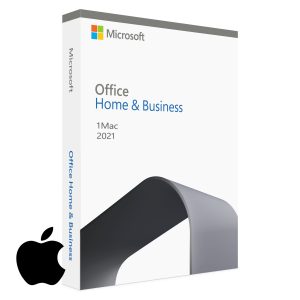
Microsoft Office 2021 vs 2024: Which Should You Buy?
Choosing between Microsoft Office 2021 and Office 2024? Both are one-time purchase lifetime licenses — meaning you pay once and own them permanently with no subscription fees. But they differ in features, included apps, pricing, and support lifecycle. This guide breaks down exactly what each version includes, how they compare side by side, and which is the right choice for your situation in 2026.
Quick answer: If you need the most complete suite including Access and Publisher, choose Office 2021 Professional Plus. If you want the latest features and the longest support lifecycle with the core apps, choose Office Home and Business 2024.
What Is a Lifetime Office License?
Before comparing the two versions, it is worth clarifying what a lifetime license means — because many buyers confuse Office 2021/2024 with Microsoft 365.
Office 2021 / Office 2024 (Lifetime License) — you pay once and own the software permanently. No recurring fees, no subscription. The apps are installed on your PC and work offline.
Microsoft 365 (Subscription) — you pay monthly or annually. It includes cloud storage (OneDrive), always-updated apps, and multi-device access, but requires ongoing payments to keep working.
Both Office 2021 and Office 2024 are lifetime licenses. Neither requires a subscription. This guide focuses on comparing these two one-time-purchase versions.
What Is Included — Apps Comparison
App
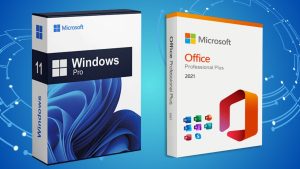
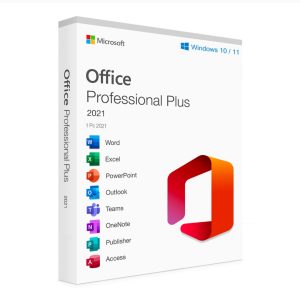
Office 2021 Professional Plus
Office Home & Business 2024
Word
✅ Yes
✅ Yes
Excel
✅ Yes
✅ Yes
PowerPoint
✅ Yes
✅ Yes
Outlook
✅ Yes
✅ Yes
OneNote
✅ Yes
✅ Yes
Teams
✅ Yes
❌ No
Access (database)
✅ Yes
❌ No
Publisher (desktop publishing)
✅ Yes
❌ No
Key takeaway: Office 2021 Professional Plus is the more complete suite — it includes Access, Publisher, and Teams on top of the core apps. Office Home and Business 2024 covers the core five apps (Word, Excel, PowerPoint, Outlook, OneNote) with the newest 2024 feature updates but without the additional tools.
Features Comparison — What’s New in Office 2024?
Feature Area
Office 2021 Professional Plus
Office Home & Business 2024
Excel new functions
XLOOKUP, LET, dynamic arrays
All 2021 functions + new 2024 additions
Word co-authoring
Basic real-time co-authoring
Improved collaboration and auto-save
PowerPoint recording
Standard recording tools
Updated Cameo feature for video in slides
Outlook interface
Classic Outlook interface
New Outlook interface (modernised)
Dark mode
Yes
Yes — improved
Offline use
Full offline capability
Full offline capability
Access (database app)
✅ Included
❌ Not included
Support until
Oct 2026 (mainstream) / Oct 2031 (extended)
Oct 2028 (mainstream) / Oct 2033 (extended)
Support Lifecycle — How Long Will Each Version Last?
Microsoft provides two phases of support for each Office version:
Mainstream support — includes new features, bug fixes, and security updates
Extended support — security updates only, no new features
Version
Mainstream Support Ends
Extended Support Ends
Office 2021 Professional Plus
October 2026
October 2031
Office Home & Business 2024
October 2028
October 2033
What this means in practice: Office 2021 is already in the final stretch of its mainstream support window — you will still receive security updates until 2031, but new features have stopped. Office 2024 gives you two additional years of active development and a longer overall support lifecycle.
Which Should You Buy? — Decision Guide
Choose Office 2021 Professional Plus if:
You need Microsoft Access for database work or legacy Access files
You need Microsoft Publisher for desktop publishing and print layouts
You want the most complete suite at a competitive price
Your organization standardizes on Office 2021 for compatibility reasons
Choose Office Home and Business 2024 if:
You need Word, Excel, PowerPoint, and Outlook — the core apps — with the latest 2024 features
You want the longest support lifecycle (extended support until October 2033)
You prefer the modernised Outlook interface and updated Excel functions
You do not need Access or Publisher
You are setting up a new PC and want a long-term-ready Office installation
For most home users and small businesses who just need Word, Excel, PowerPoint, and Outlook — Office Home and Business 2024 is the better long-term investment. For users who specifically need Access or Publisher, Office 2021 Professional Plus is the right choice.
Office 2021 / 2024 vs Microsoft 365 — A Quick Note
If you are deciding between a lifetime license and Microsoft 365, here is the short version:
Factor
Office 2021 / 2024 (Lifetime)
Microsoft 365 (Subscription)
Payment model
One-time — own it forever
Monthly or annual recurring fee
Always up to date
No — fixed version
Yes — continuously updated
OneDrive storage
5GB (basic only)
1TB per user
Long-term cost
Lower — one payment
Higher — adds up over years
Best for
Users who want to pay once and be done
Users who need cloud storage and always-current apps
Buy Genuine Microsoft Office in the US — Instant Delivery
MSOfficeStore.us sells genuine lifetime license keys for both Office versions, delivered instantly by email with no subscription required:
Instant digital delivery — license key and setup guide sent by email within minutes
Verified license keys — every key is checked before sale
Live setup assistance — real human support via live chat if you need help installing or activating
Money-back guarantee — full refund if your key cannot be activated
100,000+ satisfied customers worldwide
Frequently Asked Questions
What is the difference between Microsoft Office 2021 and Office 2024?
Both are lifetime licenses. Office 2021 Professional Plus includes Access and Publisher on top of the core apps. Office Home and Business 2024 covers the core five apps (Word, Excel, PowerPoint, Outlook, OneNote) with newer features and a longer support lifecycle through 2033.
Is Microsoft Office 2024 worth upgrading to from Office 2021?
For most users, yes — if you want the latest features and the longest support lifecycle. Office 2021 still works well and is supported until 2031, but Office 2024 provides updated Excel functions, an improved Outlook interface, and support through 2033. If you specifically need Access or Publisher, stay with Office 2021 Professional Plus.
Do Microsoft Office 2021 and 2024 require a subscription?
No. Both are lifetime licenses — you pay once and own them permanently. No monthly or annual fees. This is different from Microsoft 365, which is a subscription service.
What apps are included in Microsoft Office 2021 Professional Plus?
Word, Excel, PowerPoint, Outlook, OneNote, Teams, Access, and Publisher — the most complete Office suite available as a one-time purchase.
What apps are included in Microsoft Office Home and Business 2024?
Word, Excel, PowerPoint, Outlook, and OneNote. Access and Publisher are not included in this edition.
How long will Microsoft Office 2021 and 2024 be supported?
Office 2021 has extended support until October 2031. Office 2024 has extended support until October 2033 — providing two extra years of security updates compared to Office 2021.
Where can I buy Microsoft Office 2021 or 2024 in the US?
MSOfficeStore.us sells genuine lifetime license keys for both Office 2021 Professional Plus and Office Home and Business 2024, delivered instantly by email with live activation support and a money-back guarantee.