Windows 11 Pro Lifetime License vs Microsoft 365 Subscription — Which Is Better Value?
Confused about the difference between a Windows 11 Pro lifetime license and a Microsoft 365 subscription? You are not alone. Many US buyers mix these two up — but they are actually very different products. This guide breaks down exactly what each one covers, how the costs compare, and which is the right choice for your situation.
Short answer: A Windows 11 Pro lifetime license covers your operating system with a one-time payment and no recurring fees. Microsoft 365 is a subscription for Office apps and cloud storage — it does not include Windows itself. For most users, a lifetime license for Windows is the better long-term value.
What Is a Windows 11 Pro Lifetime License?
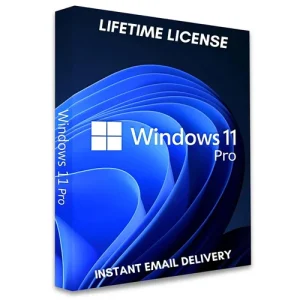
A lifetime license means you buy Windows 11 Pro once — and own it permanently. There are no monthly charges, no annual renewals, and no subscriptions. You receive a 25-character license key that activates Windows 11 Pro through Microsoft’s own servers.
What you get with a Windows 11 Pro lifetime license:
Permanent ownership of Windows 11 Pro — no expiry date
Free security and feature updates from Microsoft for the supported lifetime of Windows 11
All Pro-exclusive features: BitLocker encryption, Remote Desktop, Hyper-V, Windows Sandbox, domain join
No ongoing costs after the initial purchase
Transferable to a new PC if you upgrade your hardware (retail license)
You can purchase a genuine Windows 11 Pro lifetime license from MSOfficeStore.us — delivered instantly by email, with live activation support and a money-back guarantee.
What Is Microsoft 365?
Microsoft 365 (formerly Office 365) is a subscription service that bundles Microsoft’s Office applications — Word, Excel, PowerPoint, Outlook, Teams, and OneDrive — for a recurring monthly or annual fee.
Important: Microsoft 365 does not include Windows. It is a separate product for Office apps and cloud services, not for the operating system itself.
Microsoft 365 plans include:
Personal — 1 user, 1TB OneDrive, full Office apps on up to 5 devices
Family — up to 6 users, 1TB OneDrive each, full Office apps
Business Basic / Standard / Premium — for teams and organisations, adds Teams, Exchange, and admin tools
Head-to-Head Comparison: Lifetime License vs Subscription
Factor
Windows 11 Pro Lifetime License
Microsoft 365 Subscription
What it covers
The Windows operating system
Office apps + cloud storage (not Windows)
Payment model
One-time payment — own it forever
Monthly or annual recurring fee
Recurring costs
None
Yes — ongoing subscription required
Includes Word, Excel, PowerPoint?
No
Yes
Includes OneDrive storage?
No (basic 5GB only)
Yes — 1TB per user
BitLocker encryption
Yes (Pro feature)
No
Remote Desktop
Yes (Pro feature)
No
Best for
Anyone who needs Windows permanently at the lowest total cost
Anyone who needs Office apps and cloud storage
Long-term value
Excellent — one payment, no future costs
Ongoing cost adds up over years
Which Is Right for You?
Choose a Windows 11 Pro Lifetime License if:
You just need Windows — the operating system — on your PC
You want to pay once and never worry about a recurring subscription
You already have Office apps (or use free alternatives like Google Docs)
You are a freelancer, home user, or small business owner who values simplicity
Choose Microsoft 365 if:
You need the latest versions of Word, Excel, PowerPoint, and Outlook
You rely heavily on OneDrive for cloud storage and file syncing
You collaborate with others using Microsoft Teams
You need Office on multiple devices (PC, Mac, phone, tablet)
The smartest approach for many users: buy a Windows 11 Pro lifetime license once for permanent ownership of the operating system, then decide separately whether you need Microsoft 365 for Office apps. Do not pay a subscription for something you only need to buy once.
What About Windows 10 vs Windows 11 Pro?
If your PC does not meet Windows 11’s hardware requirements (TPM 2.0, compatible CPU), a Windows 10 Pro lifetime license is still a strong option — Microsoft supports Windows 10 through October 2025 and it remains widely used in business environments.
All licenses are delivered instantly by email — no shipping required. Every purchase includes live setup assistance and a money-back guarantee.
Frequently Asked Questions
How does a lifetime license for Windows 11 Pro compare to a subscription?
A Windows 11 Pro lifetime license is a one-time payment that permanently activates the operating system — no recurring fees, ever. A Microsoft 365 subscription is an ongoing charge for Office apps and cloud storage that does not include Windows itself. They serve different purposes: one is for the OS, the other is for productivity software.
Is a Windows 11 Pro lifetime license better than a subscription?
For most users who just need Windows, yes — a lifetime license is significantly better value. You pay once and own it permanently. Over three or more years, the savings compared to any subscription model are substantial.
Does Windows 11 Pro require a subscription?
No. Windows 11 Pro does not require a subscription. A one-time lifetime license key permanently activates it. Microsoft only charges recurring fees for separate services like Microsoft 365 or OneDrive — not for Windows 11 Pro itself.
What is included in a Windows 11 Pro lifetime license?
Permanent ownership of Windows 11 Pro, including BitLocker encryption, Remote Desktop, Hyper-V virtualization, Windows Sandbox, and domain join. Plus free security updates from Microsoft for the supported lifetime of the product.
Where can I buy a Windows 11 Pro lifetime license in the US?
MSOfficeStore.us sells genuine Windows 11 Pro lifetime license keys for the US market, delivered instantly by email with live setup support and a full money-back guarantee. Visit the Windows 11 Pro product page to see current pricing.
Can I get both a Windows 11 Pro lifetime license and Microsoft 365?
Yes — and for many users this combination makes sense. Buy a Windows 11 Pro lifetime license once for your operating system, then add a Microsoft 365 subscription separately only if you genuinely need the Office apps and OneDrive storage. This way you avoid paying a subscription for something that only needed a one-time purchase.