Microsoft Project 2024 Professional: Features, System Requirements, and How to Buy
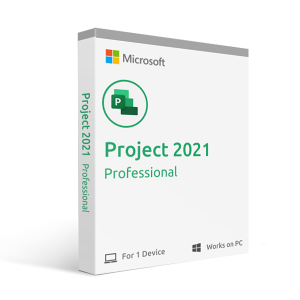
Microsoft Project 2024 Professional is the latest perpetual-license version of Microsoft’s project management software, designed for professionals, project managers, and businesses that need powerful planning, scheduling, and resource management tools without a monthly subscription. This guide covers what is new in Project 2024, how it compares to Project 2021, system requirements, and where to buy a genuine license key in the US.
Is Microsoft Project 2024 a One-Time Purchase?
Yes. Microsoft Project 2024 Professional is a perpetual license — you pay once and own it permanently. There are no recurring fees. This makes it a cost-effective choice compared to Microsoft’s Project Plan subscriptions, which charge monthly or annually.
Purchase a genuine license key from MSOfficeStore.us — delivered instantly by email with full activation support.
What Is New in Microsoft Project 2024 Professional?
Project 2024 Professional builds on Project 2021 with the following key improvements:
- AI-powered insights — predicts potential project risks and suggests optimal resource allocations based on historical project data
- Microsoft Teams integration — see team members’ online presence and start Teams chats or calls directly from within your project plan
- Improved real-time collaboration — multi-user editing is significantly enhanced compared to Project 2021
- Scheduling automation — improved auto-population of start and end dates based on task dependencies, reducing manual scheduling effort
- What-if scenario planning — model alternative project scenarios to evaluate different approaches before committing to a plan
- Expanded template library — more ready-to-use, customizable project templates covering a wider range of industries and project types
- Azure cloud integration — stronger connection to Azure services for improved security, scalability, and remote access
Microsoft Project 2024 vs Project 2021 — Key Differences
Feature | Project 2021 Professional | Project 2024 Professional |
AI-powered risk and resource insights | ❌ Not available | ✅ Yes |
Microsoft Teams integration | Limited | ✅ Full — presence, chat, and calls in-app |
Real-time multi-user collaboration | Limited | ✅ Improved |
Scheduling automation | Basic | ✅ Enhanced auto-scheduling |
What-if scenario planning | ❌ Not available | ✅ Yes |
Template library | Standard | ✅ Expanded |
Azure cloud integration | Basic | ✅ Enhanced |
License type | Perpetual (one-time purchase) | Perpetual (one-time purchase) |
Project 2024 Standard vs Professional — Which Should You Buy?
Feature | Standard | Professional |
Gantt charts and task management | ✅ Yes | ✅ Yes |
Basic resource tracking | ✅ Yes | ✅ Yes |
Team collaboration tools | ❌ No | ✅ Yes |
Microsoft Teams integration | ❌ No | ✅ Yes |
Resource leveling | ❌ No | ✅ Yes |
Project Server / Project Online connectivity | ❌ No | ✅ Yes |
Best for | Individual project managers | Teams and enterprise deployments |
For most professionals managing team projects, Project 2024 Professional is the recommended choice.
System Requirements for Microsoft Project 2024 Professional
Component | Requirement |
Operating System | Windows 10 or Windows 11 (latest two versions) |
Processor | 1.6 GHz or faster, dual-core |
RAM | 4 GB (64-bit) or 2 GB (32-bit) |
Storage | 4 GB available disk space |
Display | 1280 × 768 resolution or higher |
Graphics | DirectX 9 or later |
Internet | Required for download and activation |
How to Buy and Activate Microsoft Project 2024 Professional
- Purchase your genuine license key from MSOfficeStore.us — key delivered by email within minutes
- Download the Project installer from Microsoft’s official website (office.com/setup)
- Run the installer and follow the on-screen steps
- Enter your product key when prompted — Microsoft’s servers verify and activate your license
- Project 2024 Professional is ready to use immediately
The MSOfficeStore.us support team is available 24/7 via live chat if you need assistance during installation or activation. If your key does not activate, the issue will be resolved or a full refund issued.
Frequently Asked Questions
Is Microsoft Project 2024 Professional a one-time purchase or a subscription?
Project 2024 Professional is a perpetual license — you pay once and own it permanently with no recurring fees. MSOfficeStore.us sells genuine one-time license keys delivered instantly by email.
What is the difference between Microsoft Project 2024 and Project 2021?
Project 2024 adds AI-powered risk and resource insights, deeper Teams integration with in-app presence and chat, improved real-time multi-user collaboration, enhanced scheduling automation, what-if scenario planning, and an expanded template library. The core project management functionality is the same.
What is the difference between Project 2024 Standard and Professional?
Standard covers Gantt charts and basic task and resource management for individual users. Professional adds team collaboration, Teams integration, resource leveling, and Project Server/Online connectivity. For team and enterprise use, Professional is recommended.
What are the system requirements for Microsoft Project 2024?
Windows 10 or 11, a 1.6 GHz dual-core processor, 4 GB RAM (64-bit), 4 GB storage, and DirectX 9 graphics. An internet connection is required for download and activation.
Does Microsoft Project 2024 work with Microsoft Teams?
Yes. Project 2024 Professional integrates with Teams, allowing you to see team members’ online presence and start chats or calls directly from your project plan without switching applications.
Where can I buy a genuine Microsoft Project 2024 Professional license key?
MSOfficeStore.us offers genuine Project 2024 Professional license keys delivered instantly by email, with 24/7 live chat support and a full activation guarantee. Buy Microsoft Project 2024 Professional at MSOfficeStore.us.
MSOfficeStore.us also offers Microsoft Project 2021 Professional and Microsoft Visio 2024 Professional, all delivered instantly by email with full activation support.